Mobile App Design
Your Pocket Guide to Wonder
At A Glance
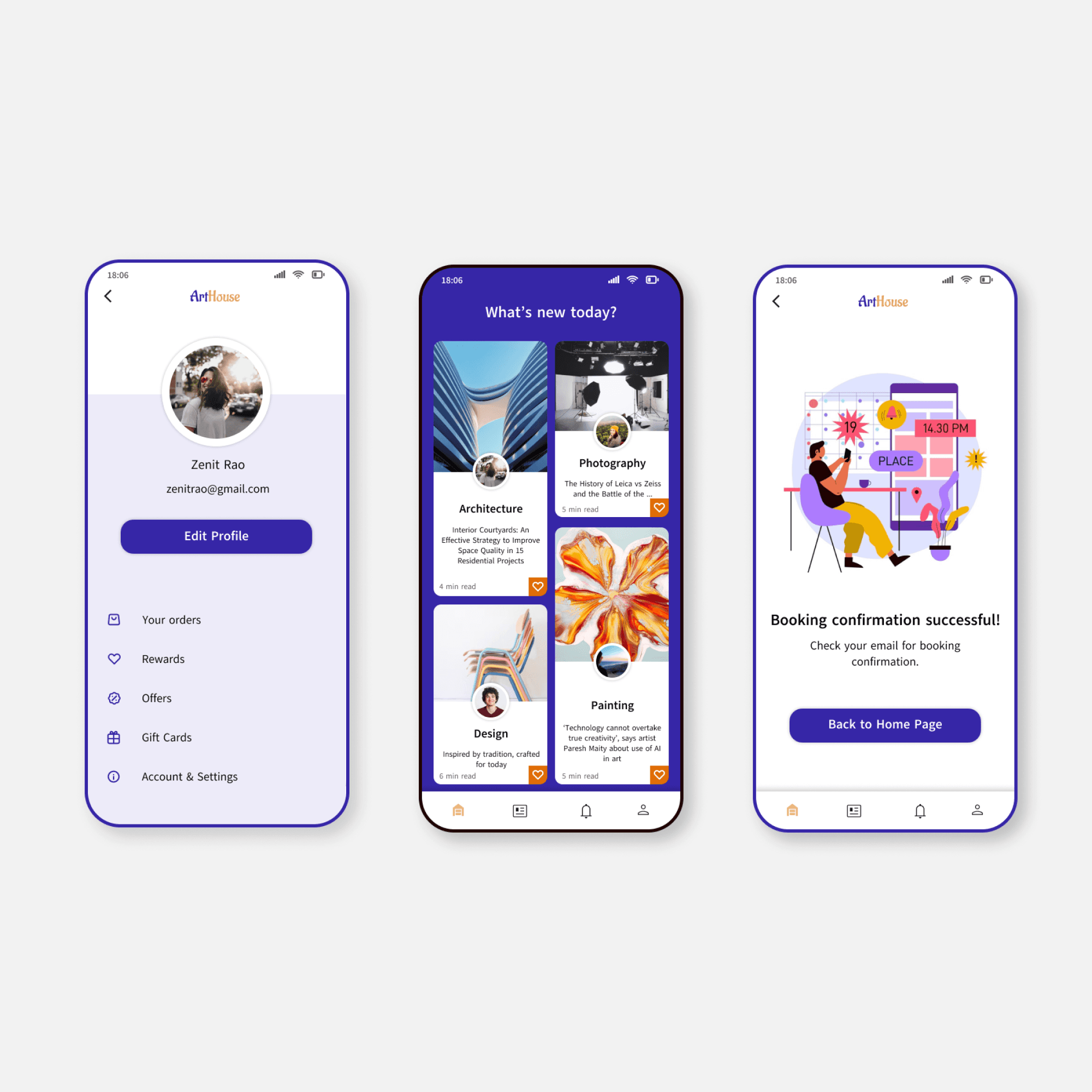
Discover ArtHouse, an mobile app that showcases upcoming exhibitions, events, and everything you need to plan your visit. ArtHouse keeps you informed, inspired, and ready to explore effortlessly.
| Solo Projects
| My Role
UX Designer, UI Designer, Visual designer, UX Researcher
| Timeline
Oct 2024 - Dec 2024
| Tools
Figma, Adobe Photoshop
Starting thoughts….
We face difficulty figuring out what gallaries to visit
I've noticed museum not gaining traction. With the shift towards apps and mobile usage, museums cannot afford to ignore it and not dig deeper. I took on the challenge and designed an app that advertises exhibitions and events and provides information to patrons to ease them into scheduling a visit.
SOLUTION
During my research, I discovered that users were not satisfied with the app process. To rewire this it was necessary for me to make the app ser friendly. Quick transactions and smooth bookings was my main focus.
Make the Journey pleasurable
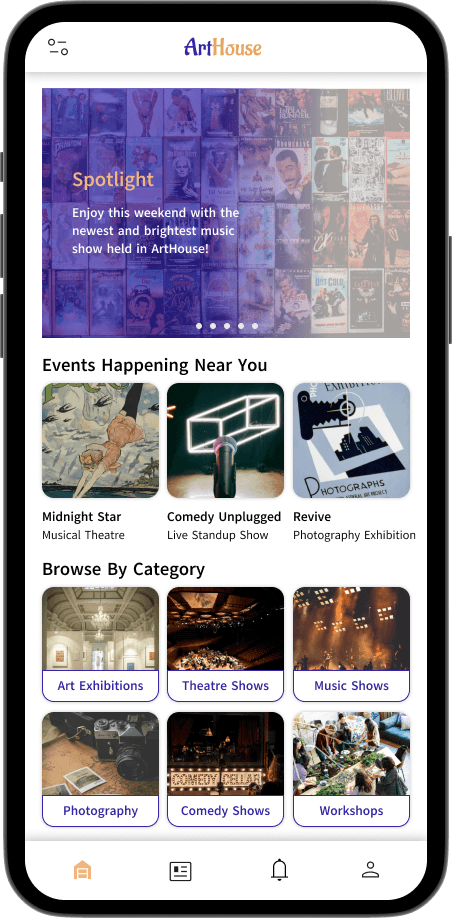
Your pocket guide
ArtHouse provides 24/7 updates on the latest events around town. Whether you want exclusive tickets to your favourite artists or want to read on the latest trends or even discuss your views with locals.
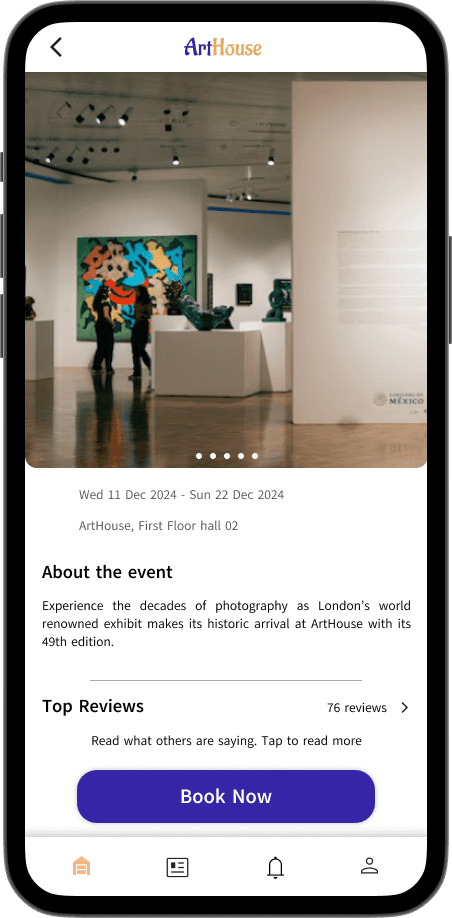
Stay notified
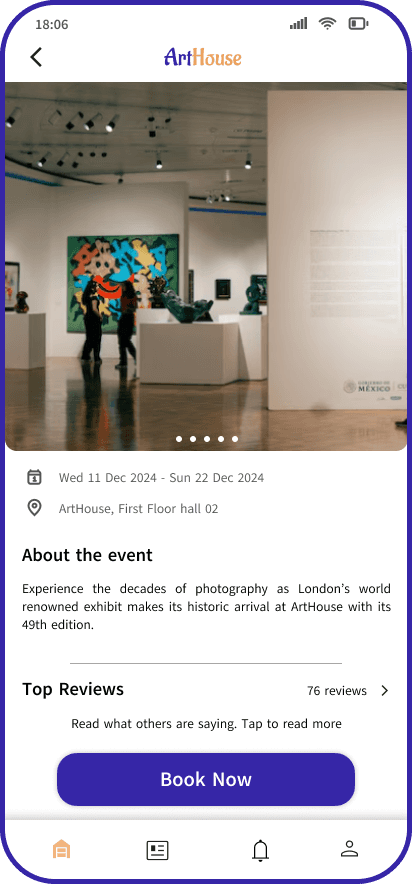
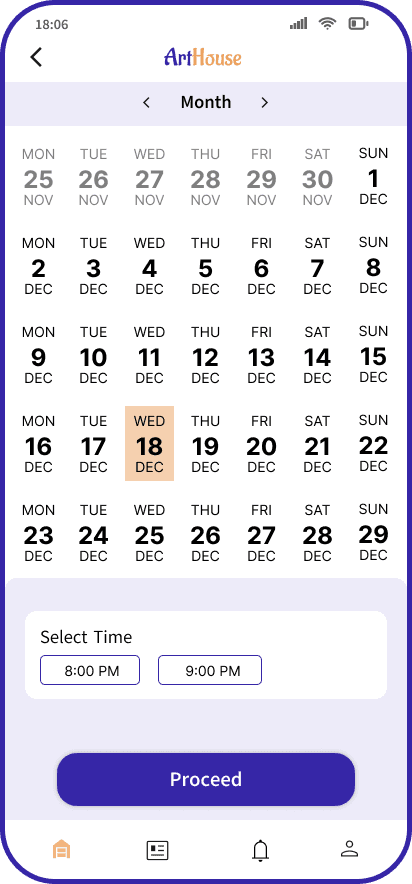
Get detailed information about any event and book a slot according to your convinence.

Put on your nerd glasses
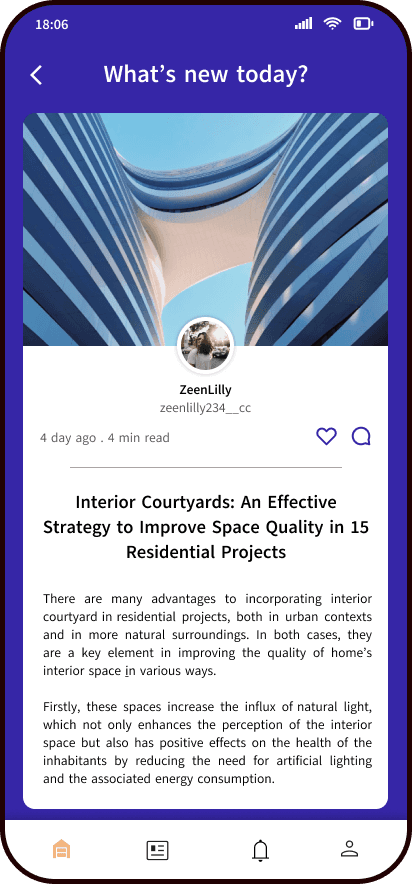
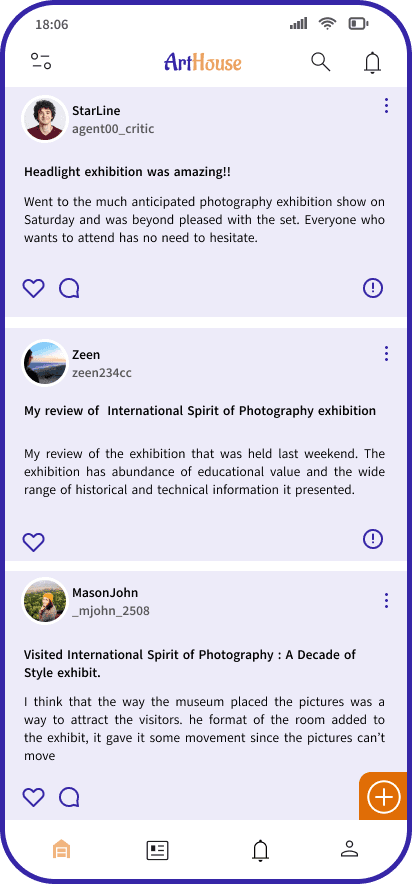
Read through various topics of interest from fellow users or post about your own interests. Drop a Like on posts that resonate with you.
01. Empathize
The goal was to understand the user and their problems by conducting user research.
Research Goals:
1. I want to identify people's frustrations while using museum apps.
2. I want to understand the amount of updates users wish to make from this app.
3. To understand what improvement can be made to enhance the visit experience
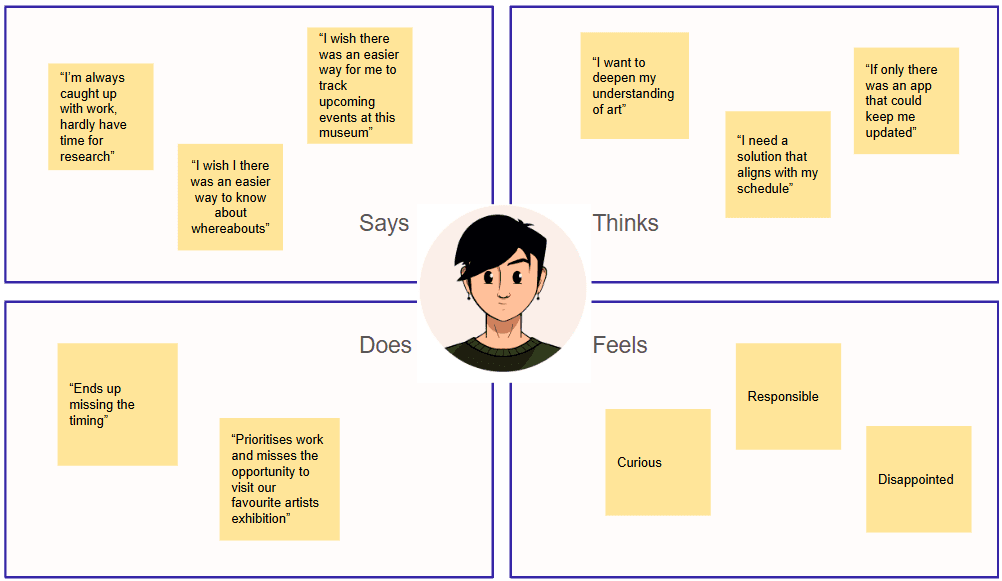
Empathy Maps
I used empathy maps to sort out the information I collected from my user research.

Pain Points
1
No ease of navigation within existing museum apps
Arthouse
Unable to schedule in time causing clashes
3
Lack of awareness about the on going events in the museum
4
Unawareness about the venue and timings of the events being organised
02. Define
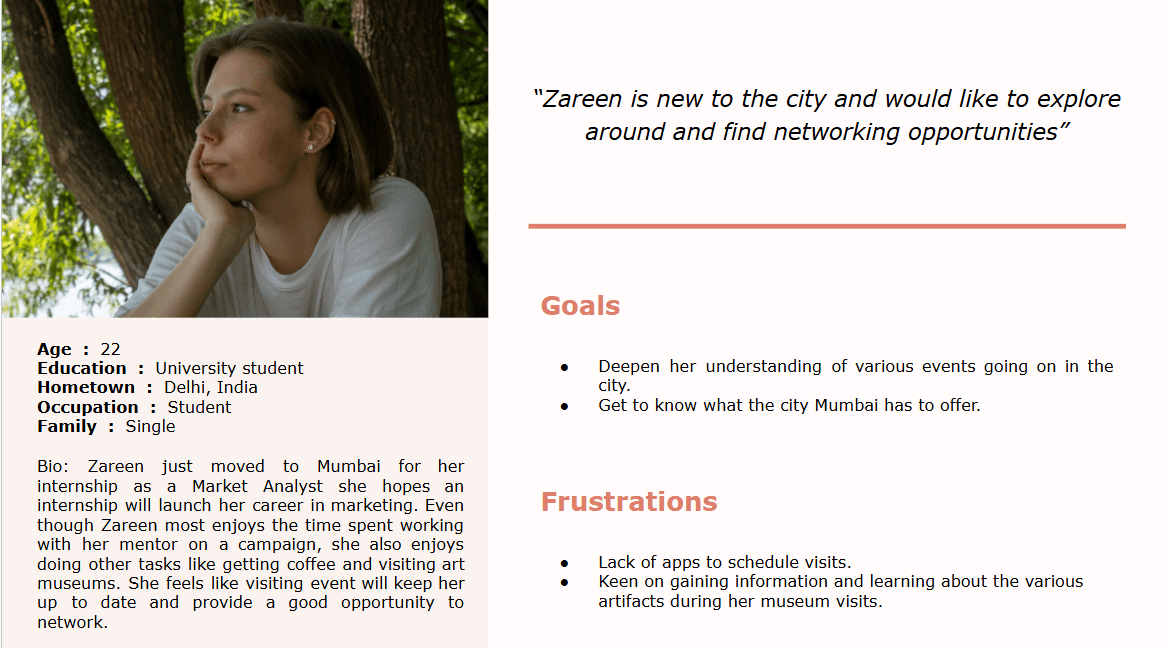
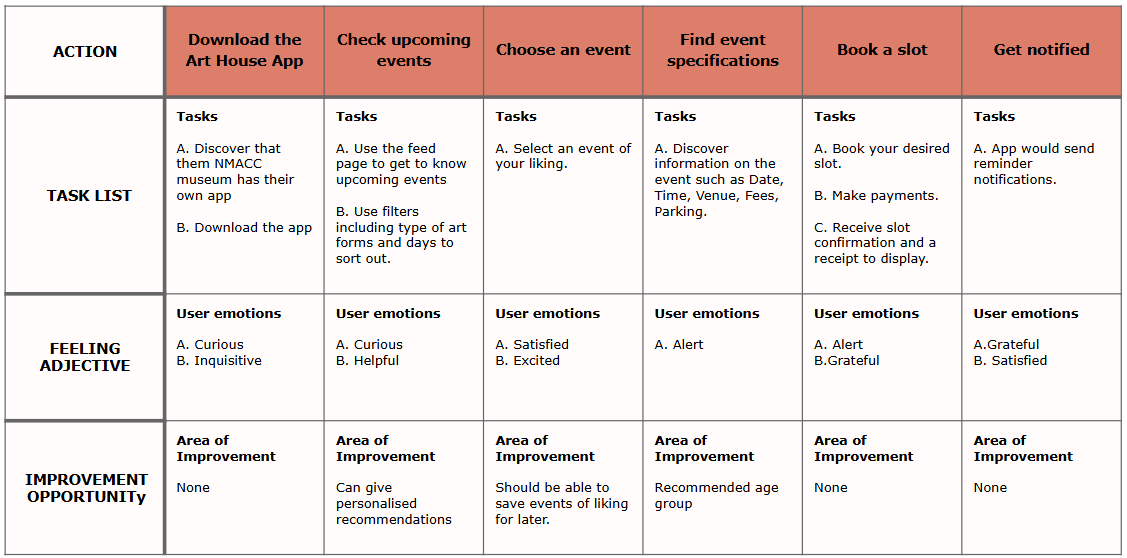
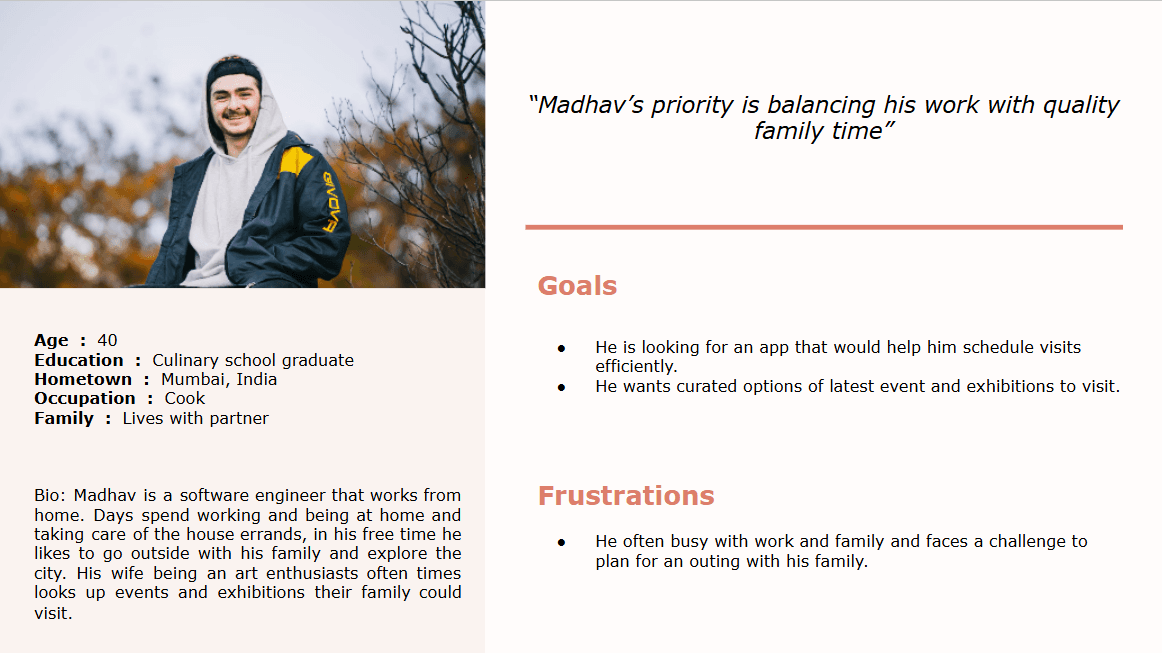
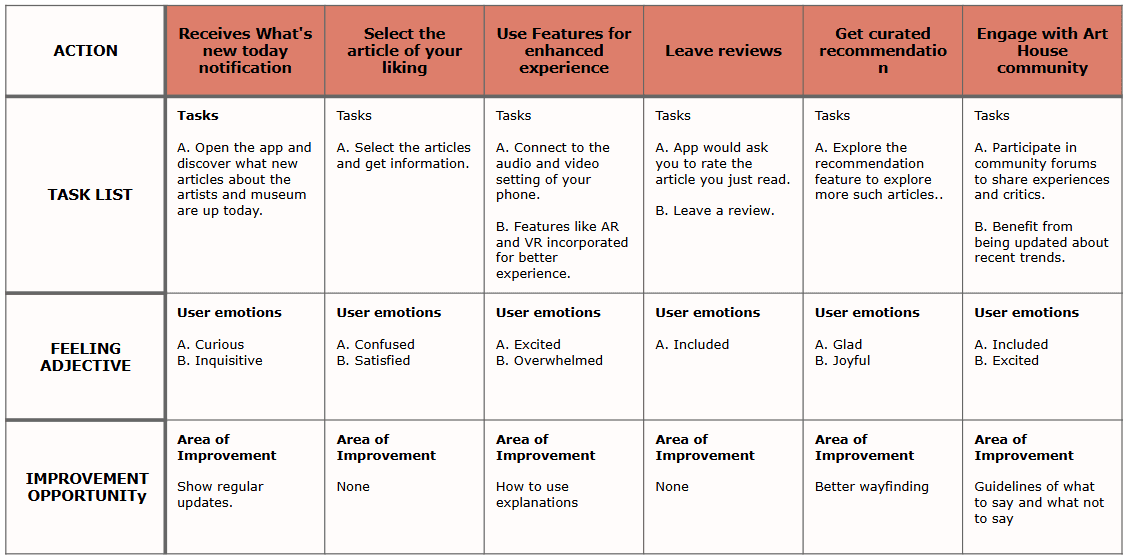
In this phase, I defined the user's problems with the help of user personas and user journey maps.
Persona 1
Persona 2
03. Ideate
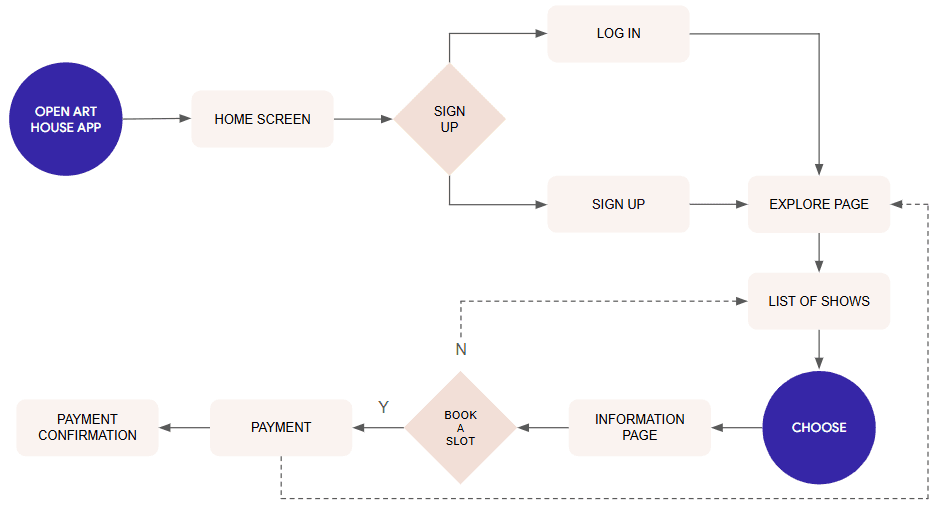
I worked on user flow diagrams and information architecture in the ideate phase of design thinking.

04. Prototype
Through empathizing, defining, and ideating, I identified some pain points, which I worked on for creating actions or decisions users might take. I started with creating paper prototypes. I made multiple options for a single screen so I can compare which one works the best.
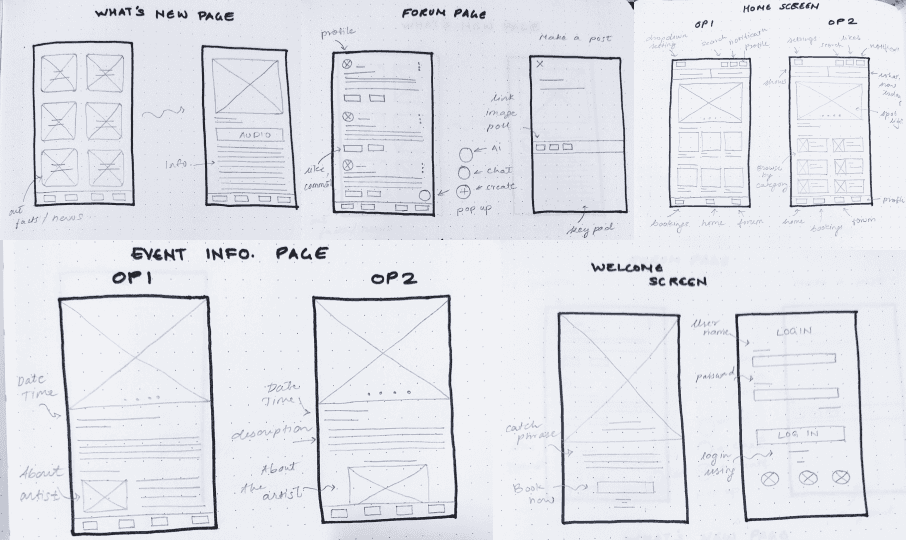
Lo-Fi Wireframing
I produced low-fidelity wireframes further to refine my designs through prototyping and usability testing.

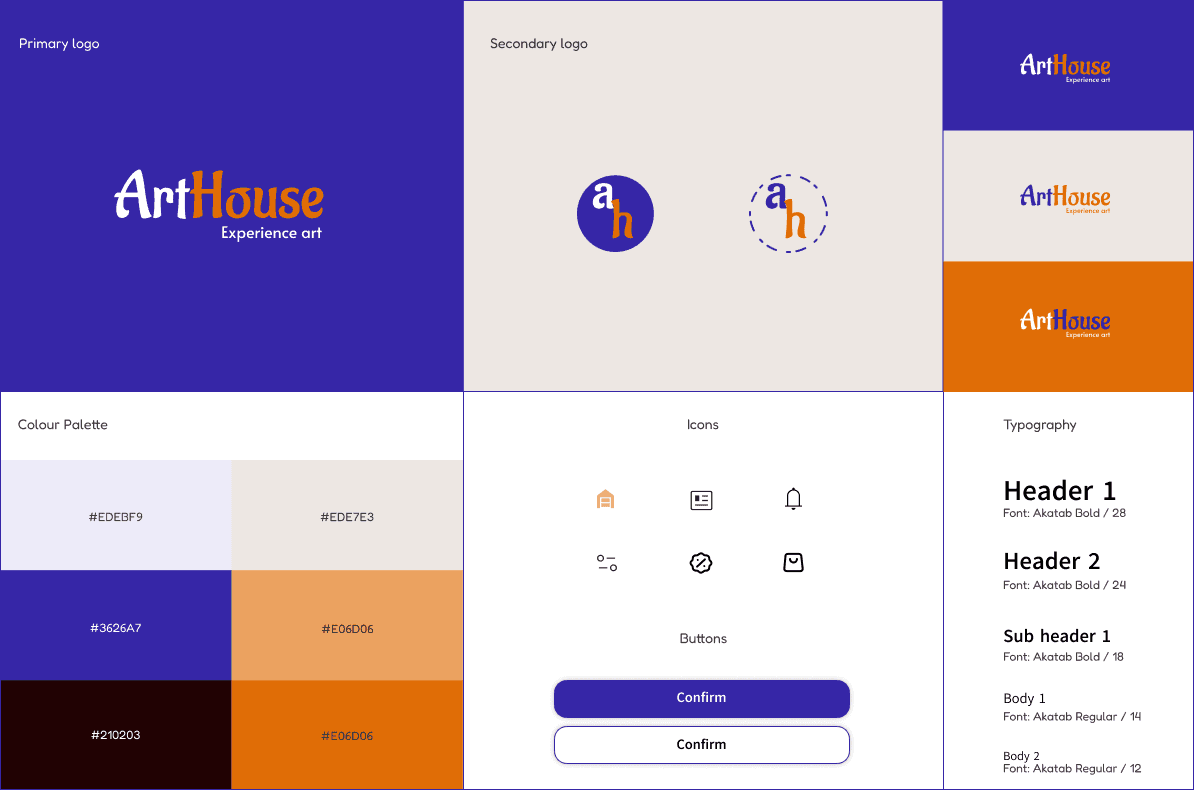
Design System
I used bright and popping colors are used to represent the excitement and liveliness of art and culture.
High Fidelity Prototype
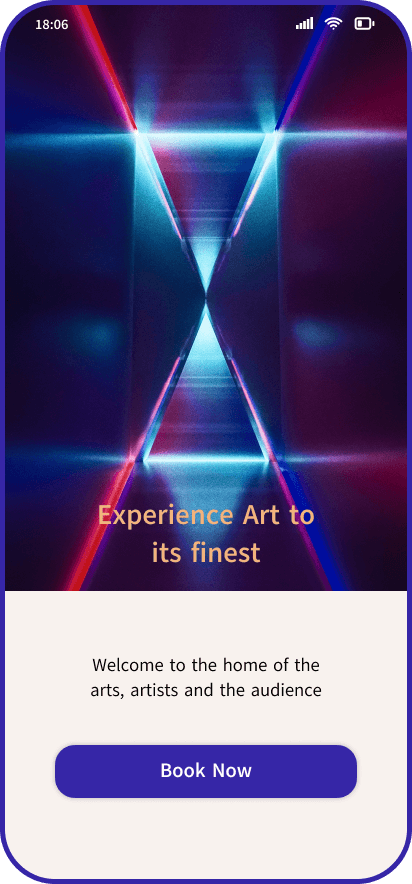
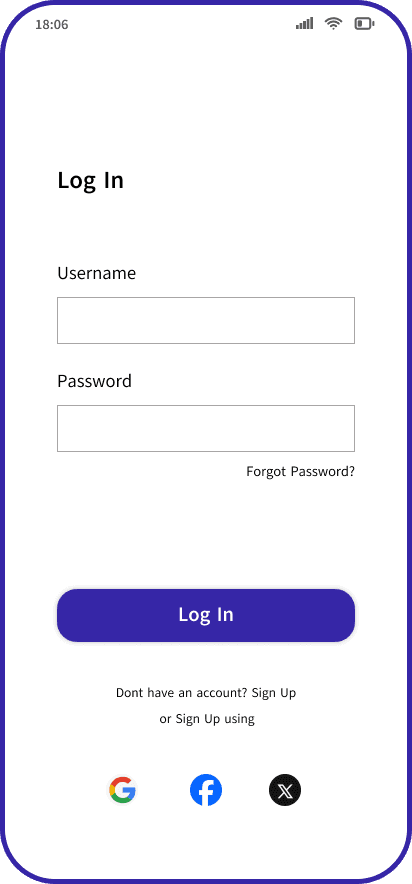
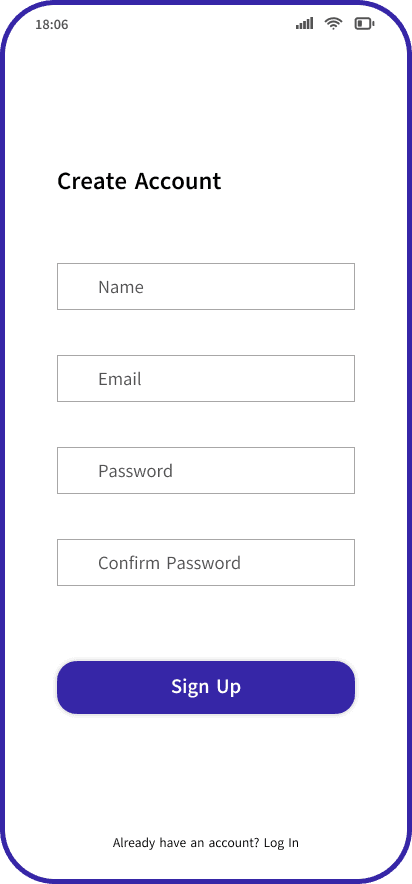
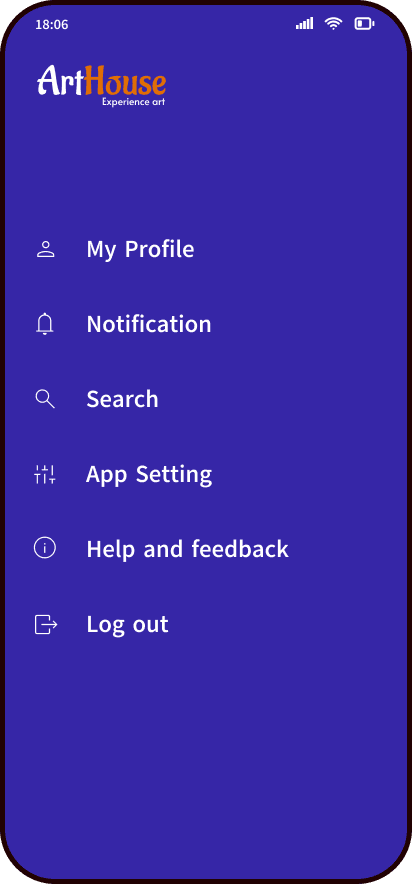
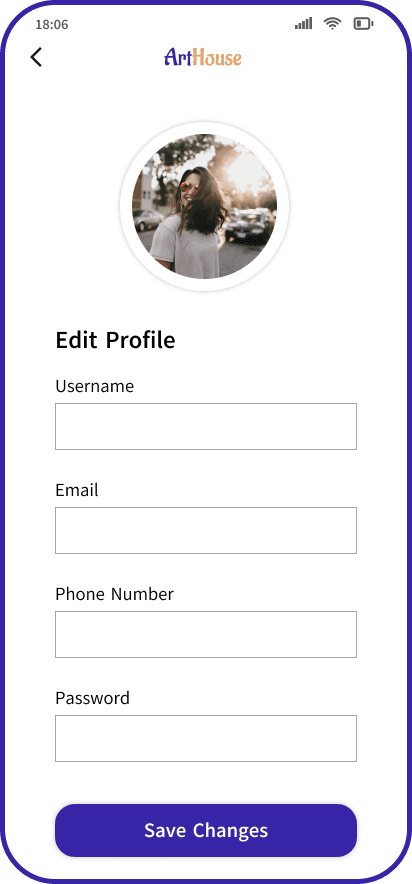
After making the necessary iterations in low-fidelity wireframes, I progressed to high-fidelity wireframes. I used the style guide to make the UI.




05. Reflection
Through this project, I concluded how user research and usability testing are important in uplifting the product's value. It's essential to figure out the user's pain points. Going forward, I wish to refine the app's event information page; it lacks a seamless flow right now.